Home Blog

Auto Dialer Compliance & TCPA Guide

So, you have started using an auto dialer or are planning to get auto dialer software for your business. Smart move. Auto dialers save time, boost sales team productivity, and help you reach more customers faster.

But here is the part most businesses miss — using an auto dialer comes with legal responsibilities.

If you are calling customers without following the rules, you could be fined thousands of dollars per call. Yes, per call.

This guide will break down everything in simple language — what TCPA is, what rules apply to auto dialers, what changed in 2026, and how your business can stay fully compliant.

What Is TCPA? (And Why Should You Care?)

TCPA stands for the Telephone Consumer Protection Act. It is a US federal law that controls how businesses can call or text customers using automated systems.

The TCPA applies directly to auto dialer software — meaning, if your system automatically dials numbers or plays pre-recorded messages, you must follow these rules.

Two government bodies enforce this law:

Penalty per violation: $500 to $1,500 per call or text. Since each non-compliant call is counted separately, fines can add up fast.

The 5 Core TCPA Rules for Auto Dialer Users

1. Always Get Written Consent Before Calling

This is the most important rule. Before using your auto dialer software to call a mobile number for marketing, you must have prior express written consent from the person.

This means the customer must clearly agree to receive automated calls or texts from your business. A simple checkbox on a form works as long as it is clear and specific to your company.

2026 Update: The FCC closed what was called the “lead generator loophole.” Earlier, one consent form could cover multiple businesses. Now, consent must be specific to each seller individually. If you buy leads from third parties, update your intake forms right away.

2. Respect Calling Hours

Your auto dialer cannot call customers before 8 AM or after 9 PM in their local time zone. This rule applies based on the customer’s location, not yours.

If your business is in New York and your customer is in California, you call according to California time. Auto dialer software with timezone detection handles this automatically.

3. Honor the Do Not Call (DNC) List

Before running any campaign, scrub your contact list against the National Do Not Call Registry. Any number registered there cannot be called for marketing purposes.

You must also maintain an internal DNC list, if a customer asks you not to call again, remove them immediately. There is no grace period here.

4. Keep the Call Abandonment Rate Below 3%

If your auto dialer dials more numbers than your agents can handle, some calls get “abandoned” – meaning a real person answered, but no agent was available to talk. The TCPA limits your abandonment rate to no more than 3% per 30-day campaign period. Good auto dialer software tracks and manages this automatically.

5. Identify Yourself Clearly on Every Call

Every automated call must include:

  • Your business name
  • A phone number or address where you can be reached
  • The purpose of the call

This builds trust and keeps you compliant at the same time.

What Changed in 2026? Key Updates You Must Know

Compliance rules are not static – they get updated regularly. Here are the biggest changes for 2026:

One-to-One Consent Rule is Now Enforced As mentioned, a single opt-in form can no longer cover calls from multiple sellers. Every business needs its own consent from the customer.

STIR/SHAKEN Caller ID Verification Your auto dialer software must support STIR/SHAKEN – a protocol that verifies your phone number is real and not spoofed. Calls that fail this check are flagged as spam by carriers, which means fewer people answer and your reputation drops.

Real-Time Revocation Detection If a customer opts out mid-campaign, the system must remove them from all active call queues instantly, not the next day, not after the campaign. Immediately.

AI-Generated Voices Covered Under TCPA If your auto dialer uses AI voices or pre-recorded messages, the same consent rules apply. This was officially confirmed by the FCC in 2024 and is now fully enforced.

Auto Dialer Compliance Beyond the US

If your business operates globally, you need to follow more than just TCPA.

GDPR (Europe): Requires explicit consent before contacting anyone and strict rules on how personal data is stored and used.

India TRAI/DND Rules: India’s telecom regulator TRAI has its own Do Not Disturb (DND) registry. Auto dialers must not contact numbers registered under DND. India’s Personal Data Protection Bill (PDPB) also adds data handling obligations.

General Best Practice for All Regions:

  • Get documented consent before calling
  • Update DNC/DND lists before every campaign
  • Limit calling to local business hours
  • Always provide a clear opt-out option

Quick Compliance Checklist for Auto Dialer Users

Use this before your next calling campaign:

  • Written consent collected for each contact
  • List scrubbed against National DNC Registry
  • Internal DNC list updated
  • Calling hours set to 8 AM–9 PM in customer’s time zone
  • Call abandonment rate monitored (under 3%)
  • Caller ID verified (STIR/SHAKEN supported)
  • Opt-out mechanism active and real-time
  • Staff trained on TCPA rules

How DialOnCloud Helps You Stay Compliant

Compliance can feel overwhelming but the right auto dialer software handles most of it automatically.

DialOnCloud is built with compliance in mind. It includes:

  • Smart timezone management – calls only go out during allowed hours
  • Built-in DNC scrubbing – filters out registered numbers before dialing
  • Call abandonment tracking – keeps your rates within the 3% limit
  • Real-time opt-out processing – removes contacts instantly when they opt out
  • Detailed call records – keeps logs of every call for audit purposes
  • STIR/SHAKEN support – ensures your caller ID passes carrier verification

Whether you are a small business or a growing sales team, DialOnCloud’s auto dialer software makes compliance easy , so you can focus on conversations, not legal worries.

Final Thoughts

Using an auto dialer is one of the smartest ways to grow your business. But doing it without understanding the rules is a serious risk. TCPA fines are per call and they pile up fast.

Compliance is not that hard when you have the right tools and the right knowledge. Follow the five core rules, stay updated on 2026 changes, and use auto dialer software that is built to keep you protected.

Ready to start calling smarter and safer?
Try DialOnCloud Free Today →

What Is an Auto Dialer and How Does It Help Your Business?

0

What Is an Auto Dialer?

An auto dialer is software that automatically dials phone numbers from a contact list so your agents do not have to do it manually. When someone answers the call, the system either connects them to a live agent or plays a pre-recorded message — depending on how you have set it up.

Instead of your sales team spending time punching numbers into a phone one by one, the auto dialer handles all of that automatically. Your agents only get connected when a real person picks up. Busy signals, unanswered calls, and voicemails are filtered out automatically.

The result is simple: your team spends more time talking to actual people and less time waiting, dialing, and repeating the same manual steps over and over again.

How Does an Auto Dialer Work?

Here is a simple step-by-step breakdown of what happens when an auto dialer runs:

Step 1 — Upload your contact list. You load a list of phone numbers into the system. This can come from your CRM, a spreadsheet, or a lead database.

Step 2 — The dialer starts calling automatically. The software begins dialing numbers from the list one after another — or multiple at once, depending on the dialing mode you choose.

Step 3 — It detects what happens on the other end. The system identifies whether the call was answered by a real person, went to voicemail, hit a busy signal, or reached a disconnected number.

Step 4 — Live calls go to your agents. When a real person answers, the call is instantly routed to an available agent. The agent does not wait — they are connected the moment someone picks up.

Step 5 — Unanswered calls are handled automatically. If a call goes to voicemail, the system can either drop a pre-recorded voicemail message or log the attempt and move on to the next number.

Step 6 — Data is recorded. Every call — answered, missed, or voicemailed — is logged automatically. You get a full record of what happened, when it happened, and how long each call lasted.

This entire process runs continuously without your agents having to do anything between calls. As soon as one call ends, the next one is queued up.

Types of Auto Dialers

Not all auto dialers work the same way. Different businesses have different needs, and the type of dialer you use will depend on how many calls you need to make, how personalized your outreach needs to be, and how large your team is.

Here are the four main types:

Power Dialer

A power dialer calls one number at a time and moves to the next number the moment an agent finishes a call. It keeps a steady, consistent pace without overwhelming your team. This is a good choice for small and medium-sized sales teams that want more control over their calls without dialing manually.

DialOnCloud uses a power dialer model, which works very well for growing businesses, SMEs, and sales teams that make a high volume of outbound calls every day.

Predictive Dialer

A predictive dialer dials multiple numbers at the same time using an algorithm that predicts when agents will become free. It is designed for very high call volumes. The downside is that sometimes a customer picks up but no agent is available yet, which can lead to a dropped call or a short delay.

This mode works best for large call centers running mass outreach campaigns.

Preview Dialer

Before each call is made, the agent gets to see the customer’s information on their screen. They review it, then choose to dial or skip. This is slower than other modes but allows for much more personalized conversations. It works well for complex sales or high-value clients where preparation matters.

Progressive Dialer

A progressive dialer automatically dials the next number as soon as an agent becomes available — similar to a power dialer, but with slightly more automation built in. It balances speed and control and is a good middle ground for mid-sized teams.

Why Manual Dialing Is Costing Your Business

If your sales team is still dialing numbers by hand, you are losing time and money every single day without realizing it.

Think about what manual dialing actually involves. Your agent looks up a number, dials it, waits for it to ring, gets a voicemail, hangs up, looks up the next number, and starts again. Studies show that sales agents who dial manually average only 10 to 15 minutes of actual talk time per hour. Everything else is dead time — ringing, waiting, and redialing.

With an auto dialer, that same agent can reach 40 to 50 minutes of talk time per hour. That is three times more conversations happening every single day without adding a single person to your team.

For a small business or growing SME, that difference is enormous. More conversations mean more opportunities. More opportunities mean more sales.

Key Benefits of Using an Auto Dialer for Your Business

More Calls, More Conversations

The most obvious benefit is speed. Your team makes far more calls in a day than they ever could manually. Every hour of the working day is used efficiently because the dialer never stops working.

Agents Focus Only on Real Conversations

Your agents do not waste energy on busy signals and voicemails. They are only connected when a real person answers. This keeps energy levels up and focus sharp throughout the day.

No More Human Error in Dialing

Manual dialing leads to mistakes — wrong numbers, skipped contacts, duplicate calls. An auto dialer eliminates all of that by working from a clean, organized list and logging every outcome automatically.

Instant Access to Lead Information

When a call connects, the agent’s screen can show the customer’s name, history, and relevant notes pulled from your CRM or lead management system. The agent walks into every conversation prepared, not surprised.

Full Call Recording for Training and Quality

Every call is recorded automatically. Sales managers can listen back, identify where agents are struggling, and use real calls for training sessions. This alone can significantly improve conversion rates over time.

Detailed Reports and Analytics

At the end of every campaign or working day, you get clear data — how many calls were made, how many connected, how long calls lasted, and how each agent performed. This takes the guesswork out of managing your team.

Scale Without Adding Headcount

As your business grows, you do not need to hire five more agents to make five times more calls. You can scale your outreach significantly by simply running your auto dialer more efficiently.

Who Should Use an Auto Dialer?

An auto dialer is not just for large call centers. Any business that makes outbound calls regularly can benefit from one. Here are the most common use cases:

Sales teams that need to work through large lead lists quickly and efficiently. Instead of spending half the day dialing, agents spend their time actually selling.

Real estate agencies that follow up with buyers, sellers, and new inquiries. In real estate, speed to lead is everything — an auto dialer makes sure no prospect waits too long for a callback.

Healthcare providers that need to send appointment reminders, follow up with patients, or run outreach campaigns. This reduces no-shows and keeps patient communication consistent.

Marketing agencies running outbound campaigns on behalf of clients. An auto dialer lets a small team handle a large volume of calls without burning out.

Small and medium businesses that want to grow their customer base without growing their payroll. The auto dialer does the heavy lifting so a lean team can punch above its weight.

What to Look for in an Auto Dialer

If you are shopping for an auto dialer for your business, here are the key things to check before you commit:

Call recording — Every serious auto dialer should record calls automatically. This is non-negotiable for training and quality assurance.

CRM integration — Your dialer should connect with your existing CRM or lead management system so data flows automatically between the two. No manual copying and pasting.

IVR compatibility — If you also handle inbound calls, having IVR (Interactive Voice Response) built into the same platform saves time and money.

Analytics and reporting — You need to see what is working and what is not. Clear dashboards with call data are essential.

SMS and email support — The best platforms let you follow up a call with an SMS or email from the same system, so your outreach stays consistent across channels.

Ease of use — If your team needs a week of training just to get started, that is a problem. Look for a platform with a clean interface and a quick onboarding process.

Scalability — Can the platform grow with you? As your team expands and your call volume increases, your auto dialer should handle that without requiring you to switch systems.

How DialOnCloud’s Auto Dialer Helps Your Business

DialOnCloud is built specifically for SMEs, sales teams, real estate agencies, healthcare providers, and marketing agencies that need to communicate with more customers without making their operations more complicated.

Here is what DialOnCloud brings to your outbound calling:

Auto Dialer with Smooth Call Flow DialOnCloud’s auto dialer keeps your team moving through contact lists without any manual effort. Agents are only connected when a real person answers, which means no wasted time and no dead air.

Built-in IVR Builder While most auto dialer tools are separate from your inbound call system, DialOnCloud combines both. You can build custom IVR menus using a drag-and-drop interface, so incoming calls are handled just as efficiently as outgoing ones.

Call Recording and Monitoring Every call your team makes through DialOnCloud is recorded automatically. Sales managers can listen back at any time to review performance, support agent development, and ensure quality stays high.

Lead Management Built In DialOnCloud is not just a dialer — it also includes a lead management system. You can track leads with statuses and dispositions, set follow-up reminders, and make sure nothing falls through the cracks after a call ends.

SMS and Email in the Same Platform After a call, your agent can follow up with a text message or an email without switching to a different tool. Everything — calls, SMS, and email — is managed from one dashboard.

Detailed Reports and Analytics DialOnCloud gives you clear reports on call volume, call duration, agent activity, campaign performance, and more. You always know exactly how your team is performing and where improvements can be made.

CRM Integration DialOnCloud connects with major CRM platforms including HubSpot, Zoho, and Salesforce. Call data, recordings, and lead updates sync automatically so your team never has to log anything manually.

Affordable Plans with a Free Trial Plans start at $29 per month, and DialOnCloud offers a two-month free trial so you can test everything before committing. No credit card required to get started.

How to Get Started with DialOnCloud’s Auto Dialer

Getting up and running with DialOnCloud is straightforward. Here is how it works:

Step 1 — Sign up for a free trial at dialoncloud.com. No credit card needed. Your account is ready in minutes.

Step 2 — Upload your contact list. Import your leads from a spreadsheet or connect your CRM directly to pull contacts in automatically.

Step 3 — Set up your call flow. Configure how you want calls handled — which agents receive them, what happens when someone does not answer, and whether you want a voicemail drop or an SMS follow-up.

Step 4 — Start your campaign. Hit go. The auto dialer begins working through your list immediately. Your agents only get connected when someone answers.

Step 5 — Monitor and optimize. Watch your analytics dashboard in real time. See which agents are performing, how many calls are connecting, and where your campaign can be improved.

Final Thoughts

An auto dialer is one of the most practical tools a sales team or customer-facing business can invest in. It removes the wasted time from outbound calling, keeps your agents focused on real conversations, and gives you the data you need to keep improving. For growing businesses, SMEs, and sales-driven teams, the difference between manual dialing and using an auto dialer is not small — it is the difference between reaching 30 prospects a day and reaching 90. DialOnCloud makes it easy to get started. With a built-in auto dialer, lead management, call recording, IVR, SMS, email, and full analytics — all in one platform.

Frequently Asked Questions

1.Is an auto dialer legal?

Yes, auto dialers are legal. However, you must follow local regulations around consent and do-not-call lists. Always make sure you have permission to contact the people on your list and comply with applicable telemarketing laws in your region.

2. How many more calls can an auto dialer help my team make?

On average, sales agents using an auto dialer can achieve 40 to 50 minutes of talk time per hour compared to just 10 to 15 minutes with manual dialing. That means your team can have roughly three times more real conversations in the same working day.

3. Can a small business use an auto dialer?

Absolutely. Auto dialers are not just for large call centers. Any business that makes outbound calls regularly — even a team of two or three people — can benefit from automating the dialing process. DialOnCloud is designed specifically with small and growing businesses in mind.

4. What is the difference between an auto dialer and a predictive dialer?

An auto dialer is the general term for any system that dials automatically. A predictive dialer is a specific type that dials multiple numbers at once using algorithms to predict agent availability. DialOnCloud uses a power dialer model, which dials one number at a time for a steadier, more controlled experience — better suited for most small and medium-sized teams.

5. How quickly can I get started with DialOnCloud?

Very quickly. Once you sign up, you can upload your contacts and start your first campaign the same day. The platform is designed for fast onboarding with no technical setup required.

Omnichannel Integration: Creating Seamless Customer Experiences

0

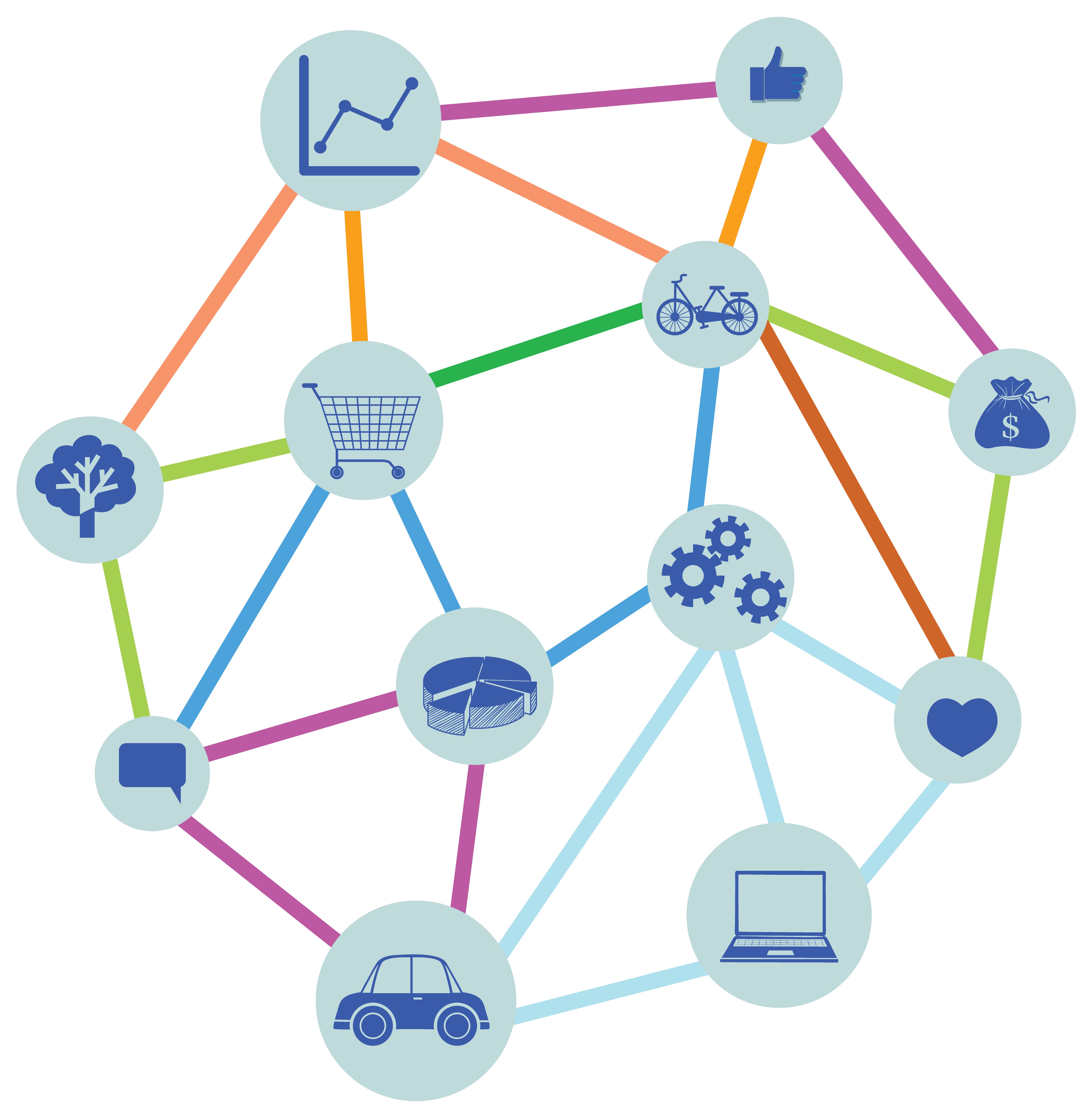
Today’s customers don’t stick to just one channel. They browse products on mobile, compare prices on desktop, ask questions on social media, and finally make purchases in-store or through an app. This is where omnichannel integration comes in.

Simply put, omnichannel integration connects all the customer touchpoints – online and offline into one unified experience. Instead of treating email, social media, websites, chat, and physical stores as separate entities, omnichannel brings everything together.

And the result? Happier customers, stronger relationships, and higher conversions.

What Is Omnichannel Integration?

Omnichannel integration is the process of connecting multiple communication and sales channels so customers can move between them seamlessly without losing context.

For example, a customer might:

  • Start a conversation on live chat
  • Continue it via email
  • Complete a purchase on mobile
  • Receive post-purchase support on WhatsApp

With proper omnichannel integration, all these interactions are linked in one system. The customer doesn’t have to repeat themselves, and your team has full visibility into their journey. That’s the power of omnichannel.

Why is Omnichannel Experience important?

Modern customers expect convenience and personalization. If your channels aren’t connected, it creates friction and friction drives customers away.

Here’s why omnichannel integration is critical:

1. Better Customer Experience

With omnichannel integration, customers enjoy a smooth and consistent journey across all platforms. Whether they start a conversation on chat and finish it over email, or browse products on mobile and purchase on desktop, everything stays connected. They don’t have to repeat their issues or re-enter information, which saves time and makes interactions feel effortless.

2. Increased Engagement

When customers can reach your brand on their preferred platform be it social media, website, or messaging apps they’re more likely to interact. Omnichannel experiences meet customers where they already are, making communication easier and more natural. This convenience encourages longer interactions and stronger relationships.

3. Higher Conversion Rates

A disconnected journey creates obstacles that stop people from completing purchases or inquiries. Omnichannel integration removes these barriers by guiding customers smoothly from discovery to decision. When everything flows seamlessly, customers feel confident taking action leading to higher conversions and better sales performance.

4. Unified Customer Data

Omnichannel systems bring all customer interactions into one central place. This gives businesses a complete view of customer behavior, preferences, and history. With unified data, teams can personalize communication, predict needs, and make smarter decisions instead of relying on scattered information.

5. Stronger Brand Loyalty

Customers remember how a brand makes them feel. When experiences are personalized, responsive, and consistent, trust grows. Over time, this trust turns into loyalty. Customers who feel understood and supported are far more likely to return and recommend your brand to others.

Omnichannel vs Multichannel: What’s the Difference?

Many businesses use multiple channels but that doesn’t automatically mean omnichannel.

Multichannel means being present on different platforms.

Omnichannel means those platforms are connected.

In multichannel setups, channels operate in silos. In omnichannel integration, everything works together. That difference is huge.

Key Components of Successful Omnichannel Integration

To implement omnichannel effectively, businesses need: 

  • Centralized CRM or customer database
  • Integrated communication tools (email, chat, voice, social)
  • Consistent branding across channels
  • Real-time data syncing
  • Automation for workflows and follow-ups
  • These elements ensure every customer interaction feels connected and personalized.

Final Thoughts

Omnichannel integration isn’t just a buzzword-it’s a necessity in today’s digital-first world. Customers expect brands to remember them, understand them, and meet them wherever they are. Businesses that embrace omnichannel integration gain a competitive edge by delivering smoother journeys, building trust, and driving long-term growth.

If your channels are still operating separately, now is the time to bring them together. Because in modern customer experience, connection is everything.

Unified Communications – The Future of Business Connectivity

0

Unified communications (UC) enables businesses to manage calls, messages, video meetings, and collaboration tools through one integrated platform. As businesses demand seamless collaboration, flexibility, and scalability, UC has become the backbone of modern workplace communication.

To support modern work structures, many organizations are shifting to Unified Communications as a Service (UCaaS) for greater agility, reliability, and long-term competitiveness. Some examples for unified communications include –Zoom, Microsoft Teams, DialOn Cloud, and Cisco Webex .

What Is Unified Communications? 

Unified communications refers to the integration of all communication tools  such as voice calling, video conferencing, messaging, presence, and collaboration apps into a single platform. The goal is to eliminate communication silos and enable teams to connect anytime, anywhere.

Unlike traditional systems that force users to switch between multiple tools, unified communications provides:

  • Real-time voice and video interaction
  • Instant messaging and presence indicators
  • Integrated email and voicemail
  • Screen sharing and virtual collaboration spaces

Modern UC platforms use intelligent routing and AI-enhanced features to improve productivity and lower friction in communication workflows.

Why Is Unified Communications Essential ?

The way people work has fundamentally changed. The 9-to-5 office model is no longer the standard, and there are different work structures now:

  1. Hybrid Work: Teams work across offices, co-working spaces, and home environments.
  2. Global Collaboration: Businesses operate across time zones and geographies.
  3. Digital-First Customers: Service expectations now demand instant, personalized engagement.

Unified communications delivers all of this in one place. According to industry trends, organizations that adopt unified communications report improved employee engagement and faster decision-making ,key performance indicators tied directly to growth.

What Is Unified Communications as a Service (UCaaS)?

Unified Communications as a Service (UCaaS) takes traditional UC a step further by delivering communication solutions via the cloud.

Instead of investing in on-premises hardware which can be costly and difficult to scale; UCaaS providers host the platform online. Businesses then pay a subscription fee, which gives them access to advanced communication tools without the burden of maintenance.

Key Benefits of UCaaS

  • Scalability: Easily expand or reduce seats based on business needs.
  • Cost Efficiency: Predictable subscription pricing eliminates heavy upfront investments.
  • Automatic Updates: Cloud updates keep communication tools current with minimal IT effort.
  • Flexibility: Accessibility from any device, including laptops, mobile phones, and tablets.
  • Security & Compliance: Enterprise-grade encryption and compliance management are typically included.

As hybrid and remote work becomes common, UCaaS has become something businesses truly need, not just something nice to have.

UCaaS vs. Traditional UC: What’s the Difference?

FeatureTraditional Unified CommunicationsUCaaS
DeploymentOn-premises hardware/softwareCloud-based
CostHigh upfront + maintenanceSubscription-based
ScalabilityLimitedHighly elastic
UpdatesManualAutomated
AccessibilityOffice-centricAnywhere, anytime

Given these advantages, it’s no surprise that many organizations are migrating to UCaaS platforms to reduce IT overhead and increase business agility.

How Unified Communications as a Service Benefits All Industries

Unified Communications as a Service (UCaaS) is not limited to a single sector. Its value extends across industries that rely on fast, reliable, and consistent communication.

  • IT & Technology – IT Industry uses UCaaS to support remote collaboration, daily stand-ups, and real-time issue resolution without relying on multiple tools.
  • Healthcare – They use UCaaS to coordinate between doctors, nurses, and administrative staff, enabling faster communication while supporting secure virtual consultations.
  • Education & EdTech – The platforms depend on UCaaS for virtual classrooms, student support, faculty collaboration, and seamless communication across campuses.
  • Retail & E-commerce businesses use UCaaS to connect customer support, inventory teams, and vendors, ensuring quick responses and smoother operations.
  • Finance & Banking – These institutions rely on UCaaS for secure internal communication, customer interactions, and compliance-friendly call management.
  • Manufacturing & Logistics – The teams use UCaaS to connect on-ground staff, warehouses, suppliers, and management teams in real time.
  • Customer Support & Service-Based Businesses – The industry benefits from UCaaS by managing calls, chats, and emails from a single platform, improving response time and customer satisfaction.
  • Across industries, UCaaS helps reduce communication gaps, improve productivity, and support flexible work models making it a practical solution for businesses of all sizes.

Conclusion

Unified communications and UCaaS are not just technologies, they are strategic enablers of modern business communication. Today organizations that leverage these platforms gain a competitive edge through seamless collaboration, lower costs, and improved customer experience.

If your business hasn’t yet explored unified communications as a service, now is the time both for operational success and digital discoverability.

Voicemail Transcription: What It Is and Why It Matters Today

0

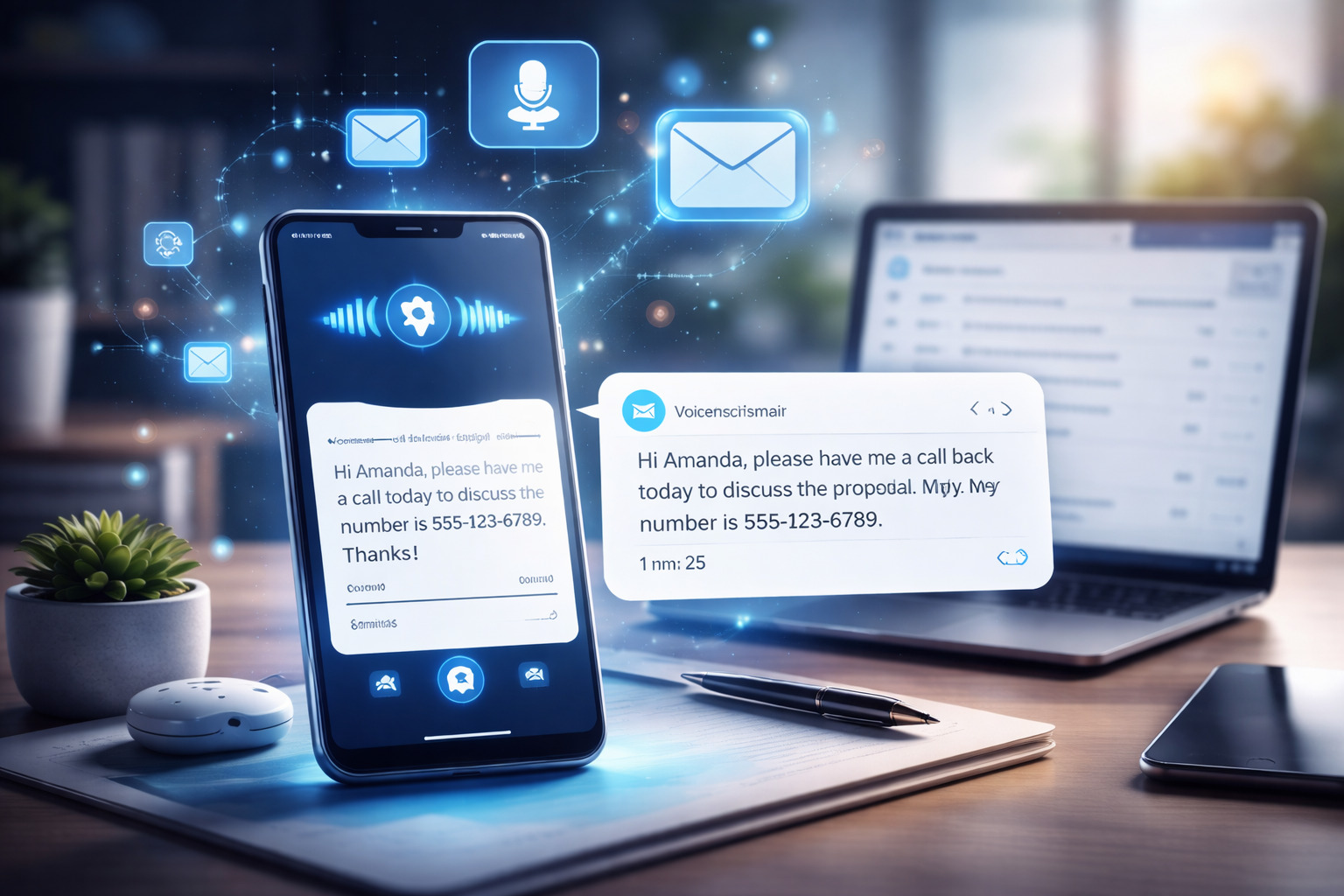
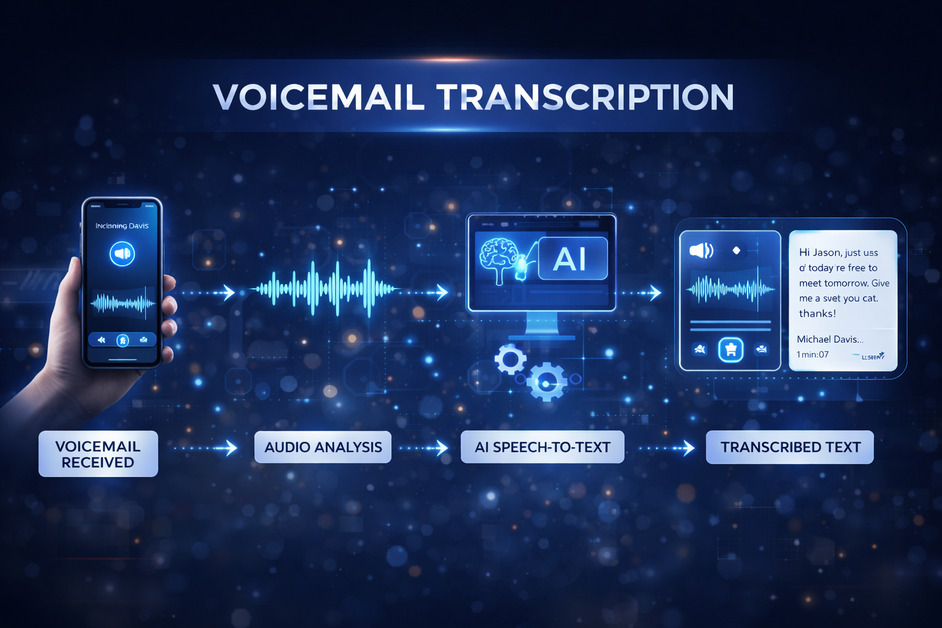
Voicemail transcription is the process of converting voice messages into readable text. Instead of listening to every voicemail one by one, messages are automatically transcribed and delivered as text usually through email, SMS, or an app dashboard. In a fast-paced digital environment, this simple feature has become a powerful productivity tool for individuals and businesses alike.

Traditional voicemail has its limits. Messages can be missed in noisy environments, during meetings, or when access to audio isn’t convenient. Voicemail transcription removes these barriers by making messages instantly readable. Whether checking a phone in public, reviewing messages during work hours, or quickly scanning important updates, transcription makes communication easier and more efficient.

How Voicemail Transcription Works

Voicemail transcription relies on speech-to-text technology powered by artificial intelligence. When a voicemail is received, the system analyzes the audio, recognizes spoken words, and converts them into text. Most modern systems continuously learn and improve accuracy over time, handling different accents, speech patterns, and tones better than older tools.

Once transcribed, the message is stored alongside the original audio. This allows users to read the voicemail first and listen to it only if needed, saving time and effort.

Key Benefits of Voicemail Transcription

  1. One of the biggest advantages of voicemail transcription is time savings. Reading a message takes only a few seconds compared to listening to a full voicemail. This is especially useful for professionals who receive multiple calls daily.
  2. Accessibility is another major benefit. Transcriptions help users with hearing impairments and make communication more inclusive. They also allow messages to be reviewed silently, which is ideal in meetings, shared workspaces, or public settings.
  3. Voicemail transcription also improves record-keeping. Text messages are easy to search, store, and reference later. Important details like phone numbers, addresses, or instructions can be quickly copied without replaying audio multiple times.
  4. For businesses, voicemail transcription enhances responsiveness. Teams can prioritize urgent messages faster, share transcriptions internally, and reduce delays caused by missed calls. This leads to better customer experience and smoother internal communication.

Use Cases Across Industries

Voicemail transcription is widely used across industries. Sales teams rely on it to quickly review client inquiries and follow up faster. Customer support teams use transcriptions to track issues, assign tickets, and maintain accurate communication records.

Remote and hybrid workers benefit from voicemail transcription by staying connected across time zones without depending on real-time calls. Freelancers and consultants use it to manage client communications more professionally, ensuring no message is overlooked.

Healthcare, legal, and real estate professionals also find voicemail transcription valuable, as it helps document conversations accurately while maintaining efficiency.

Accuracy and Limitations

While voicemail transcription technology has advanced significantly, it is not always perfect. Background noise, unclear speech, or strong accents can sometimes affect accuracy. However, most systems provide both the transcription and the original voicemail, allowing users to verify details when necessary.

Over time, AI-based transcription continues to improve, making errors less frequent and results more reliable.

Why Voicemail Transcription Is Becoming Essential

As communication becomes more digital and fast-moving, voicemail transcription is no longer just a convenience—it’s a necessity. It bridges the gap between voice and text, ensuring messages are accessible, searchable, and easy to manage.

For anyone who values efficient communication, better organization, and improved responsiveness, voicemail transcription offers a simple yet impactful solution that fits seamlessly into modern workflows.

Conclusion

As workplaces become more remote, fast-paced, and technology-driven, relying solely on traditional voicemail is no longer practical. Voicemail transcription bridges the gap between voice and text, making communication more flexible, searchable, and easy to manage. For anyone looking to stay organized and responsive, adopting voicemail transcription is a smart and future-ready choice.

How to Get a Free Virtual Phone Number from Twilio Using DialOnCloud  

0

Many businesses and startups look for a free virtual phone number to test calling, SMS, or customer support systems without upfront costs. While Twilio does not provide permanent free numbers, it does offer free trial credits, which can be used to get a virtual phone number temporarily. 

By connecting Twilio with DialOnCloud, you can easily access and manage a free virtual phone number without dealing with complex technical setups.    

This guide explains how it works, and how to get started step by step.

What Is a Free Virtual Phone Number?

A virtual phone number is a cloud-based number that works over the internet instead of a physical SIM card. You can use it for:

  • Making and receiving calls
  • Sending and receiving SMS
  • Sales and support teams
  • Testing communication workflows

When people search for a free virtual phone number, they usually mean:

  • No upfront payment          
  • Ability to test before committing

This is exactly what Twilio’s free trial enables.

How Twilio Offers a Free Virtual Phone Number

Twilio provides new users with free trial credits. These credits can be used to:

  • Purchase a virtual phone number
  • Make calls
  • Send SMS

The number is free as long as trial credits are available. Once credits expire, billing details are required to continue using the number.

Why Use DialOnCloud with Twilio?

Twilio on its own can feel technical for non-developers. DialOnCloud simplifies everything by giving you a clean, business-friendly interface.

With DialOnCloud, you can:

  • Connect Twilio in minutes
  • Fetch and manage virtual phone numbers
  • Make calls and send SMS easily
  • Track logs, activity, and usage in one place

This makes it ideal for anyone looking to test a free virtual phone number quickly.

Step-by-Step Guide : To Get a Free Virtual Phone Number from Twilio Using DialOnCloud

Step 1: Create a Twilio Free Trial Account

  • Sign up on Twilio
  • Receive free trial credits automatically

Step 2: Sign Up on DialOnCloud

  • Create your account on DialOnCloud
  • Go to Settings → Twilio Integration

Step 3: Connect Twilio with DialOnCloud

Enter your:

  • Twilio Account SID – This is your username 
  • Twilio Auth Token – This is your password

DialOnCloud verifies the connection securely.

Step 4: Get a Free Virtual Phone Number

  • Fetch available Twilio numbers inside DialOnCloud
  • Select a country (for example, the US)
  • Buy the number using Twilio trial credits

Step 5: Start Using the Number

Once activated, you can:

  • Make outbound calls
  • Receive inbound calls
  • Send and receive SMS
  • Monitor activity inside DialOnCloud

All without technical configuration.

Is the Free Virtual Phone Number Permanent?

No – and it’s important to understand why.

The free virtual phone number is offered as part of Twilio’s trial plan, which means it’s not permanent by default. During the trial period, you receive a limited amount of credits that allow you to test calls, messages, and number functionality.

Once those Twilio trial credits expire, the virtual phone number is automatically deactivated. To continue using the same number without interruption, you’ll need to upgrade your Twilio account to a paid plan and add billing details.

Upgrading allows you to:

  • Keep the same virtual phone number
  • Remove trial limitations
  • Use calling and messaging without restrictions

In short, the free number is meant for testing and evaluation, not long-term use. If the number becomes important for your business or workflows, upgrading is the only way to make it permanent.

Very important security rules

  1. Never share your Auth Token publicly
  2. Don’t paste it in screenshots or emails
  3. Don’t commit it to GitHub Don’t send it in plain text

If someone gets your Auth Token, they can:

  • send messages/calls using your balance
  • buy numbers
  • change account settings

What to do if it’s exposed

  1. Go to Twilio Console
  2. Regenerate Auth Token
  3. Update it everywhere it’s used

Where to find your Auth Token

  • Log in to Twilio Console
  • Dashboard → Account Info
  • Click “Show” (you may need to verify)

Final Thoughts

If you’re searching for a free virtual phone number, the most reliable method is using Twilio’s free trial with DialOnCloud. You avoid upfront costs, skip technical complexity, and get a fully functional virtual phone number for testing or early-stage use.

What Is Call Blasting? A Complete Guide for Businesses

0

In today’s fast-paced business world, reaching customers quickly and efficiently is essential. Whether it’s sending reminders, promoting offers, or delivering emergency alerts, businesses need a reliable communication method that connects with large audiences instantly. This is where call blasting comes in.

In this blog, we will break down what call blasting is, how it works, its benefits, legal considerations, and best practices for using it effectively.

What Is Call Blasting?    

Call blasting which is also known as voice broadcasting or auto-dial calling is a technology that allows businesses to send pre-recorded voice messages to hundreds or thousands of phone numbers at once.

It eliminates the need for manual dialing and helps companies deliver important messages instantly. 

How Call Blasting Works 

Let us understand how call blasting systems operate: 

  1. Upload Contacts – The business uploads a list of phone numbers into the calling system.
  2. Record or Upload Message – A pre-recorded voice message is added – usually announcements, reminders, alerts, or promotions.
  3. Set Call Preferences – Choose call timing, retries, caller ID, and scheduling.     
  4. Launch Campaign – The system automatically dials all numbers and plays the message upon answer.
  5. Track Performance – Businesses can monitor call success, delivery rates, and user responses (if interactive options are added).   

Types of Call Blasting Campaigns

Businesses use call blasting for a variety of purposes:

1. Marketing & Promotions

  • New offers
  • Discounts
  • Product launches
  • Event invites

2. Customer Notifications

  • Appointment reminders
  • Delivery updates
  • Service alerts

3. Emergency Alerts

  • Weather warnings
  • System outages
  • Safety notifications

4. Internal Communication

  • Employee announcements
  • Shift updates
  • HR reminders

5. Lead Nurturing      

  • Lead follow-ups
  • Cold outreach
  • Re-engagement campaigns

Benefits of Call Blasting

1. Fast & Efficient

Call blasting allows businesses to deliver a voice message to thousands of people within seconds, eliminating the time-consuming process of dialing numbers individually. Instead of spending hours or days on outreach, a single automated campaign ensures instant communication with your audience whether it’s for promotions, reminders, or emergency alerts.

2. Highly Cost-Effective

Compared to hiring calling agents or running expensive SMS/email campaigns, call blasting significantly reduces outreach costs. You pay only for the automated calls, making it a budget-friendly option for startups, SMEs, and large organizations. It maximizes ROI by reaching more people at a fraction of the operational cost.

3. High Engagement

Voice messages naturally feel more genuine and human, which increases listener attention and trust. People are far more likely to listen to a quick voice call than open an email or read an SMS. This stronger engagement often results in better response rates, improved conversions, and faster action from your audience.

4. Easy to Automate

With automated systems, you can schedule campaigns in advance, upload contact lists, set retry attempts for unanswered calls, and personalize messages — all without manual intervention. This means smoother operations, fewer missed opportunities, and the ability to run multiple campaigns simultaneously with minimal effort.

5. Scalable

Whether you need to send 100 calls or 10,000 call blasting platforms can handle it effortlessly. It scales with your business needs, making it ideal for small businesses, large enterprises, government organizations, and service providers. As your audience grows, call blasting grows with you — maintaining speed, quality, and consistency.

Is Call Blasting Legal?

Yes – call blasting is legal as long as regulations are followed.
Depending on the country, businesses must follow rules like:

  • Getting customer consent
  • Providing opt-out options
  • Avoiding calls during restricted hours

For example, in the U.S., the TCPA (Telephone Consumer Protection Act) sets guidelines for automated calls. Always ensure compliance based on your region.

Best Practices for Using Call Blasting

To get maximum results without annoying customers, follow these tips:

  1. Keep your message short : 30–45 seconds is ideal.
  2.  Personalize when possible : Mention customer names or order details (some systems allow this).
  3. Choose the right timing : Avoid calling early morning, late night, or during weekends.
  4. Always provide value : Make sure the message is relevant and useful.
  5. Offer an opt-out option : Build trust and avoid legal issues.
  6. Monitor analytics : Track answer rates, callback rates, and customer responses to improve future campaigns.

Common Mistakes to Avoid

  • Making the message too long
  • Calling too frequently
  • Using unclear voice recordings
  • Not tracking results
  • Ignoring regulations

How DialonCloud can help with call blasting?

DialonCloud simplifies call blasting by giving businesses a fast, automated way to reach large audiences with pre-recorded voice messages. With its cloud-based auto-dialing system, you can upload contact lists, schedule campaigns, send reminders, alerts, or promotional messages, and track delivery in real time—all without any hardware. DialonCloud’s scalable platform ensures high call delivery rates, smooth campaign execution, and easy management for teams, making it an ideal solution for businesses that need quick, reliable, and cost-effective call blasting.

Conclusion

Call blasting is a powerful communication tool that helps businesses connect with large audiences in seconds. When used correctly, it can boost engagement, improve customer experience, and streamline communication.

Whether you need to send promotional offers, reminders, emergency alerts, or internal updates, call blasting provides a fast, reliable, and cost-effective solution.

What is a Softphone? A Simple Guide to Modern Business Calling

0

Have you ever wondered how companies make calls without using traditional phones or phone lines? The answer lies in a modern tool called a softphone. Many people today are curious about what is a softphone and how it can help them communicate better – especially in an age where remote work and global connections are so common.

In this blog, we’ll explain everything you need to know about what is a softphone, how it works, its benefits, and why businesses are switching to solutions like DialonCloud for smarter and more flexible communication.

Understanding What Is a Softphone

A softphone is simply a software program or app that lets you make and receive phone calls using the internet instead of a regular telephone line.

You can install it on your computer, laptop, tablet, or even your smartphone. Once you log in, you can make calls, receive calls, send voicemails, and even hold video meetings — all through your device.

So, when we say what is a softphone, think of it as a virtual phone that lives inside your computer or phone. It works the same way as a normal phone but doesn’t need cables, SIM cards, or physical handsets. For example, DialonCloud provides a softphone system that helps businesses make internet-based calls smoothly and manage everything from one dashboard.

How Does a Softphone Work?

To understand what is a softphone, you should know how it actually works.

When you speak into your device’s microphone, the softphone converts your voice into digital data. This data travels over the internet using a technology called VoIP (Voice over Internet Protocol). The person you are calling receives the data, which is then changed back into sound on their end.

This process happens in seconds — making it feel just like a normal phone call. The only difference is that instead of using telephone lines, your call goes through the internet.

With DialonCloud’s softphone, all these technical steps happen automatically in the background. You just open the app, connect to the internet, and start calling. It’s that simple!

Why Are Businesses Choosing Softphones?

You might still wonder: why are so many businesses asking what is a softphone, and why are they switching to it?

Here are the main reasons:

  • Remote Work Friendly: With a softphone, employees can work from anywhere — their home, a café, or even while traveling — as long as they have an internet connection.
  • No Expensive Hardware: There’s no need for big phone systems, cables, or maintenance. Everything happens online.
  • Affordable Calls: Internet-based calls are cheaper than traditional landline calls, especially for international communication.
  • Easy to Scale: You can add or remove users anytime without extra installations.
  • Modern Features: Softphones offer features like call recording, analytics, caller ID, and integration with other tools like CRM systems.

That’s why businesses using DialonCloud’s softphone system save money, improve flexibility, and stay connected no matter where their teams are.

Benefits of Using a Softphone

Now that you understand what is a softphone, let’s explore the benefits in more detail:

  1. Easy Setup: You just need to install the app and log in — no need for technical help or heavy setup.
  2. Work Anywhere: Softphones let you work remotely without missing important calls.
  3. Cost-Effective: You only pay for what you use. There’s no need for physical phones or landline rentals.
  4. High Call Quality: Modern softphones like DialonCloud provide clear and stable call quality as long as your internet connection is strong.
  5. Secure Communication: Softphones use encryption to protect your data and ensure safe calling.
  6. Call Management Features: You can record calls, check call logs, transfer calls, or set up voicemail easily.
  7. Environmentally Friendly: Since everything is digital, it reduces waste from hardware and cables.

All these features make DialonCloud’s softphone an ideal choice for companies that want reliable, secure, and modern communication systems.

Things to Consider Before Choosing a Softphone

When learning what is a softphone, it’s also important to know what to check before choosing one:

  • Internet Speed: Since softphones use the internet, a stable and fast connection ensures better call quality.
  • Device Compatibility: Make sure your softphone works on all devices — Windows, Mac, Android, and iOS. DialonCloud supports all of these.
  • Customer Support: Choose a provider that offers quick support in case of technical issues.
  • Security: Look for encryption and secure login options to keep your calls private.
  • Integration Options: If your business uses tools like CRM or email systems, check whether your softphone can connect with them.

DialonCloud meets all these points — offering a smooth, secure, and user-friendly experience for all types of businesses.

Why DialonCloud Is the Best Softphone Solution

When people search what is a softphone, they’re usually looking for a solution that’s simple, affordable, and reliable. DialonCloud offers all that and more.

It’s designed to make business calling effortless. You can easily manage calls, track performance, and stay connected – all from one simple dashboard. Plus, it’s perfect for both small startups and large enterprises that want to save money and improve communication.

With DialonCloud, you don’t just get a calling app — you get a complete communication platform that brings your team closer, no matter where they are.

Final Thoughts

Now that you know what is a softphone, it’s clear that this technology is changing the way people communicate at work. It’s cost-effective, easy to use, and fits perfectly into today’s digital lifestyle.

If your business still relies on old phone systems, it might be time for an upgrade. With DialonCloud’s softphone, you can make professional calls from anywhere, save money, and improve how your team connects every day.

So, stop wondering what is a softphone – try it out and experience a smarter, faster, and more flexible way to communicate!

How to Call Anyone Directly from Your PC or Laptop

0

In today’s connected world, convenience is everything. From managing work tasks to catching up with loved ones, communication tools have evolved far beyond the traditional phone. One of the most efficient ways to stay connected is by making phone calls directly from your computer or laptop.

Whether you’re a business professional handling client calls or simply someone who prefers using a headset and a larger screen, this method can save time, reduce costs, and improve productivity. If you’ve ever wondered how to call from laptop, this guide is for you.

Let’s explore how you can easily call anyone directly from your PC or laptop – and why platforms like DialOnCloud make it seamless.

Why Call from Your Computer?

Before diving into how to call from laptop, let’s understand why this approach is worth trying:

  1. Convenience: No need to pick up your phone while you’re already working on your laptop. Just open your browser or app and make calls instantly.
  2. Cost-Effective: Internet-based calls (VoIP) are usually cheaper than traditional mobile or landline calls, especially for international communication.
  3. Professional Image: Businesses can use virtual numbers and cloud calling tools to appear professional, even when employees work remotely.
  4. Multitasking Made Easy: You can check emails, share documents, or take notes during calls without switching devices.
  5. Better Audio Quality: With a good headset and stable internet, you can enjoy crystal-clear sound with fewer interruptions.

The Technology Behind It

When you make a call from your computer, you’re using Voice over Internet Protocol (VoIP) technology. Instead of routing your voice through traditional telephone lines, VoIP converts your voice into digital data and transmits it over the internet.

All you need is:

  • A reliable internet connection
  • A computer or laptop (Windows, macOS, or Linux)
  • A microphone and speaker (or headset)
  • A VoIP-based calling platform like DialOnCloud
  • Once set up, your computer functions just like a phone – allowing you to dial numbers, receive incoming calls, and manage conversations effortlessly.

Step-by-Step: How to Call from laptop

Calling from your computer doesn’t require technical expertise.

Here’s a simple step-by-step process on how to call from laptop:

1. Choose a Reliable Cloud Calling Platform

Start by signing up with a trusted VoIP or cloud calling service. Dial On Cloud is an excellent option for both individuals and businesses who want a web-based communication solution without expensive hardware.

2. Set Up Your Virtual Number

Once you’ve created your account, you can get a virtual phone number (local or international). This number appears on the recipient’s caller ID, giving you a professional image.

3. Configure Your Audio Devices

Ensure your computer’s microphone and speakers (or headset) are properly connected. A noise-cancelling headset is ideal for clear audio quality.

4. Access the Dialer Interface

On DialOnCloud, you can make calls directly from your browser dashboard. Simply log in, open the dialer, and type the phone number you wish to call.

5. Make the Call

Click “Call” and you’re connected instantly. You can talk just as you would on a normal phone—except now you’re using your laptop.

6. Leverage Built-In Features

During or after the call, you can use DialOnCloud’s powerful features like call recording, forwarding, notes, or analytics to track performance and manage communication history.

Benefits –

DialOnCloud isn’t just another communication tool – it’s a complete cloud-based phone system designed for efficiency and scalability. Here’s what makes it stand out:

  • Web-Based Calling: No hardware or installation needed. Make and receive calls directly through your browser.
  • Scalable for Teams: Add users, departments, or extensions easily as your business grows.
  • Call Recording and Logs: Keep track of important conversations for training or quality assurance.
  • Analytics Dashboard: Get detailed insights into call volumes, durations, and performance.
  • Custom IVR and Routing: Direct calls to the right departments automatically.
  • Reliable Connectivity: Built with advanced VoIP technology for stable and clear audio, even on moderate internet connections.

For businesses, DialOnCloud streamlines communication – whether your team works from the office or remotely. For individuals, it offers the flexibility to call anyone globally without worrying about traditional carrier restrictions.

Pro Tips for a Better Calling Experience

  • Use Wired Internet: It offers more stability and less call drop compared to Wi-Fi.
  • Close Unnecessary Tabs/Apps: To reduce bandwidth usage during calls.
  • Test Audio Before Important Calls: Check your mic and speaker settings.
  • Use a Quality Headset: It eliminates background noise and improves clarity.
  • Enable Call Forwarding: Never miss important calls by routing them to your mobile when offline.

The Future of Calling Is in the Cloud

The shift from traditional phones to computer-based calling is no longer just a trend—it’s the new normal. With platforms like DialOnCloud, anyone can make professional, high-quality calls right from their PC or laptop.

It’s fast, affordable, and perfectly suited for today’s hybrid and remote work environment. Whether you’re handling customer calls, following up with leads, or just staying in touch, knowing how to call from laptop gives you unmatched control and convenience.

So, the next time you need to make a call, skip the phone – open your laptop, log in to DialOnCloud, and connect in seconds.

How to Build an Effective Customer Engagement Centre with Dial On Cloud

0

Giving customers a great experience is something every business must focus on. A Customer Engagement Centre (CEC) is like the main core where all customer conversations happen , whether it’s calls, emails, chats, or social media. To build a strong and effective CEC, Dial On Cloud provides the right tools and support you need. Here’s how you can make it work.

What is a Customer Engagement Centre?

A Customer Engagement Centre is more than just a call center or support desk.

It’s a central hub that collects data from –

  • All communication channels (phone calls, SMS, email, live chat)
  • Lead generation and follow-ups
  • Appointment scheduling with task workflows
  • Customer support, feedback, and issue resolution
  • Analytics, reporting, and continuous improvement

The main focus of the goal is to ensure customers feel heard, issues are resolved on time, leads are followed up diligently, and every interaction adds some value.

Why Use DialOnCloud?

DialOnCloud is a one all customer engagement platform built to support the elements listed above. Some of its important features include: lead generation, lead management, appointment scheduling, customer support, and reporting.

Other notable features are:

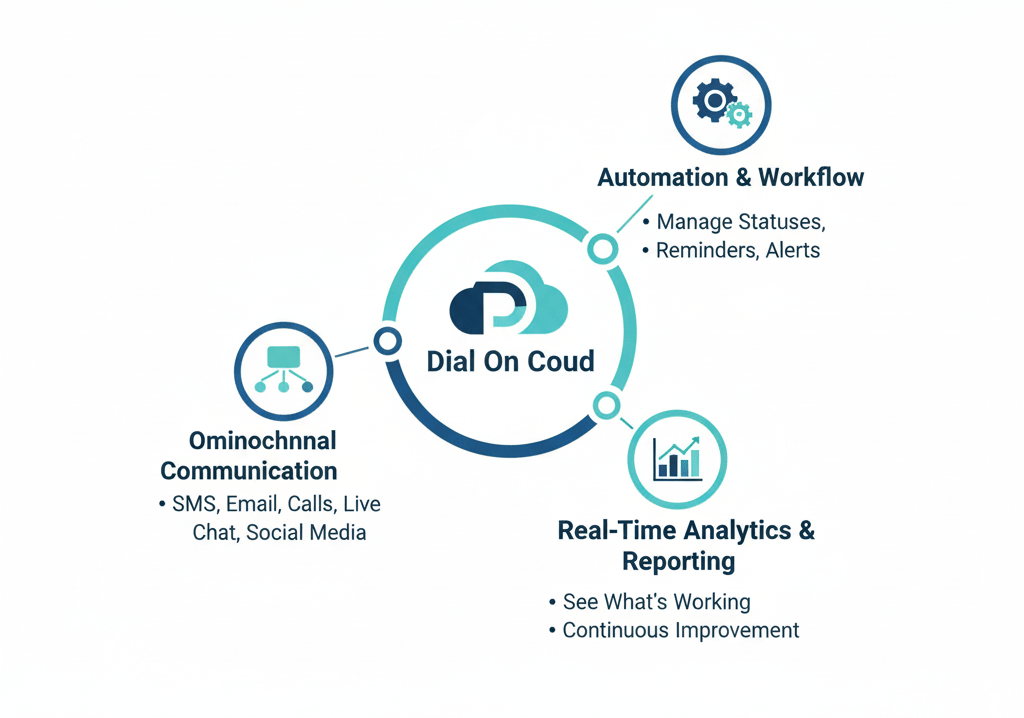
  • Omnichannel communication–  Customers can engage via SMS, email, calls, even live chat or social media integration.
  • Automation and workflow – To manage dispositions, statuses, reminders and alerts.
  • Real-time analytics and reporting –You can see what’s working, what’s not, and improve continuously.

Due to these features DialOnCloud forms a strong foundation for your Customer Engagement Centre.

Key Components of an Effective Engagement Centre

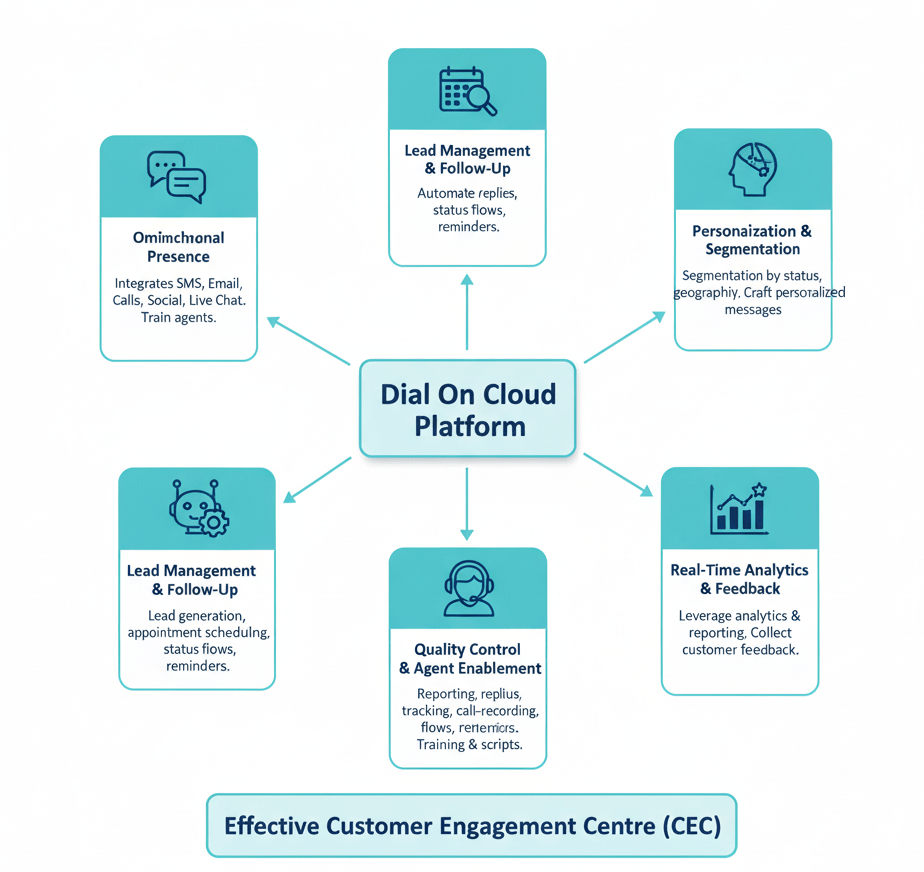
To build a truly effective CEC with DialOnCloud (or any platform), certain essential components needs to be understood:

Let’s walk through them:

Component
Why it’s important?How DialOnCloud Helps
Omnichannel
Customers use different channels for communication. Consistency across all channels improves experience.
Its tools connect all communication types-texts, emails, calls, social media, and live chat. Make sure your team knows how to use them all.

Lead Management & Follow-Up
Leads without follow-ups are lost opportunities. Tracking lead status, follow-ups, appointments ensures nothing slips.DialOnCloud offers lead generation + appointment scheduling + status management. Use these to build pipelines, define status flows, set reminders.
Automation & WorkflowReduces manual work, speeds up responses, and ensures consistency.Build automated workflows for common tasks-e.g. auto-reply to new leads.
Self-Service & IVR
Not all customers need a human-agent; self-service and IVR can deflect routine queries and hence lower cost.
DialOnCloud supports features like IVR (interactive voice response) so customers can navigate menus or get answers without waiting.
Quality Control & Agent EnablementAgents need good tools, training, feedback to deliver well. Also monitoring helps maintain standards Use DialOnCloud’s reporting, status tracking, call-recording (if available) to monitor agent performance. Provide training, scripts, knowledge base.
Real-Time Analytics & Feedback LoopsIf you can’t measure, you can’t improve. You need to track key metrics like response times, resolution rates, and customer satisfaction to know what’s working and what isn’t.Leverage DialOnCloud’s analytics and reporting features to track KPIs. Solicit feedback from customers, monitor trends, adjust.

Personalization & Segmentation
Customers expect communication that feels relevant. Segmenting customers and personalizing messages improves engagement and conversion.Use segments such as lead status, geography, behavior etc. and craft messages (email/SMS) accordingly.

Steps to Build Your Customer Engagement Centre with DialOnCloud

Here’s a step-by-step plan:

  1. Define your goals and KPIs
    What do you want? Faster response time? Higher conversion? Better customer satisfaction? Define measurable targets (e.g. reduce average response to less than 1 hour, follow up with 100% of new leads within 24 hours).
  2. Track customer touch points
    Identify all the ways customers can reach you (social, phone, chat, email etc.), and decide which you will support. Figure out where your customers want to connect with you.
  3. Set up infrastructure & tools in DialOnCloud

> Configure channels (email, SMS, chat, social)
> Set up IVR if needed
> Design lead-management flows, appointment scheduling, status tracking
> Create templates or scripts for common replies, chat, SMS or email workflows

4. Train your team
Agents need to know the system, know when / how to switch channels, use scripts or templates, follow the workflows. Also train on customer empathy, brand voice, handling escalation etc.

5. Implement automation & workflows
Identify repetitive tasks (e.g. sending confirmation SMS after scheduling, assigning status, reminding agents about stale leads) and set up automations.

6. Monitor, analyze & iterate
Use DialOnCloud’s reporting to track metrics: how many leads, drop-off in follow ups, response times, issue resolution, customer satisfaction etc. Review regularly. Identify bottlenecks. Adjust flows, staffing, or scripts accordingly.

7. Collect customer feedback and improve
Ask customers how they felt about their experience. Maybe via survey, NPS, feedback forms. Use that to continuously refine agent behaviour, workflows, content.

Common Challenges & How to Overcome Them

Building a great Engagement Centre is not without difficulties. Here are some common pitfalls and how to address them, especially when using a tool like DialOnCloud.

  • Channel overload without coordination: Many channels = high complexity. If different agents or teams handle different channels without alignment, customers may get mixed messages or delays.
  • Solution: Define clear ownership, ensure shared access to customer history.
  • Delayed follow-ups: Leads can get cold quickly. Without reminders / workflows, agents may miss follow ups.
  • Solution: Use status reminders, alerts in DialOnCloud. Automate where feasible.
  • Inconsistent communication quality: Tone, response quality may vary across agents.
  • Solution: Provide scripts or templates; monitor via quality reports; periodically review and provide coaching.
  • Data silos: If data is scattered across tools, you lose visibility.
  • Solution: Consolidate as much as possible inside DialOnCloud (or integrate external tools), ensure all interactions are logged.
  • Scaling issues: As volume grows, what worked when small might bog down.
  • Solution: Plan for scaling—automate more, allocate more agents, refine workflows, invest in real-time dashboards to catch overloads.

Why DialOnCloud Is a Strong Choice

Here are a few reasons why DialOnCloud stands out, especially for businesses looking to build an effective CEC:

  • It offers all-in-one tools rather than needing to stitch many point solutions together. Things like lead generation + scheduling + status + support + reporting are under one tool.
  • Multi-channel communication ensures you can meet customers where they are.
  • Real-time analytics helps you move from guesswork to data-driven decisions
  • Useful automations (reminders, workflows) reduce manual overhead, minimize human error.

Conclusion

Creating an effective Customer Engagement Centre isn’t just about having all the right tools -it’s about combining those tools with well-designed workflows, customer-centred processes, and constant measurement and improvement.

With DialOnCloud, businesses have much of the infrastructure needed: omnichannel communication, lead and status management, appointment tools, reporting, and automation. Build clearly defined processes, train your team, monitor outcomes, and iterate. Do this, and your Customer Engagement Centre can become a powerful driver of customer satisfaction, loyalty, and growth.

If you are ready to start, try exploring DialOnCloud’s features via their demo, define your goals, and map out your channels. Your next step might be the one that makes your engagement centre truly effective.